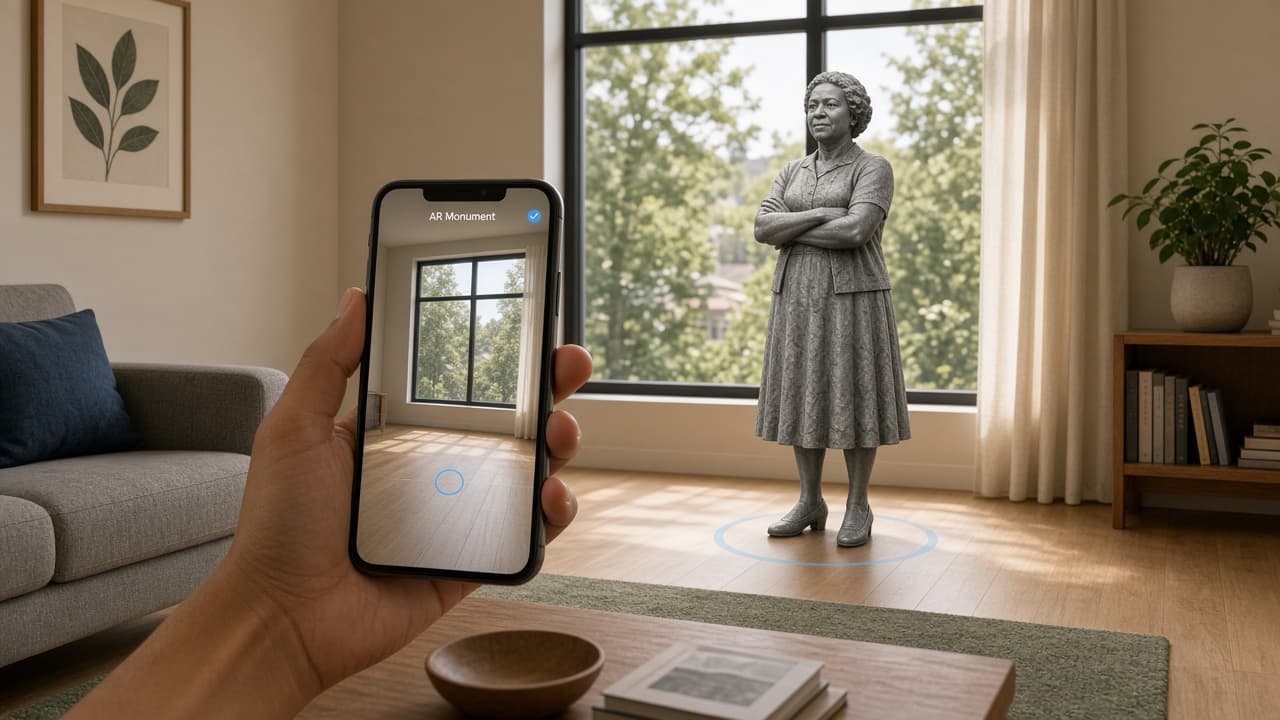
You are tidying the living room and notice the empty floor space near the window. Instead of another piece of furniture, you open a free iPhone app and place a virtual monument there.
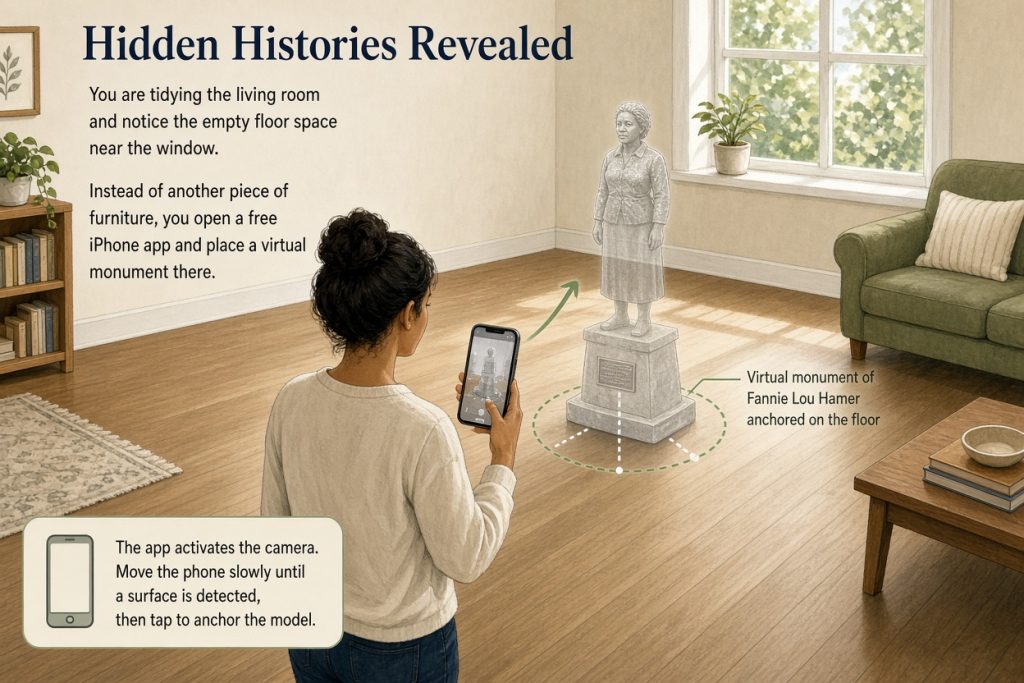
The app lets you point your camera at any flat surface and set down an AR monument of civil rights activist Fannie Lou Hamer or the historic Seneca Village community. Hidden Histories Revealed
First placement
Launch the app on a recent iPhone that supports ARKit. Browse the catalog and choose one monument. The camera view activates; move the phone slowly until a surface is detected, then tap to anchor the model.
Walk around the placed monument. It stays fixed in your room even if you step back or turn away.
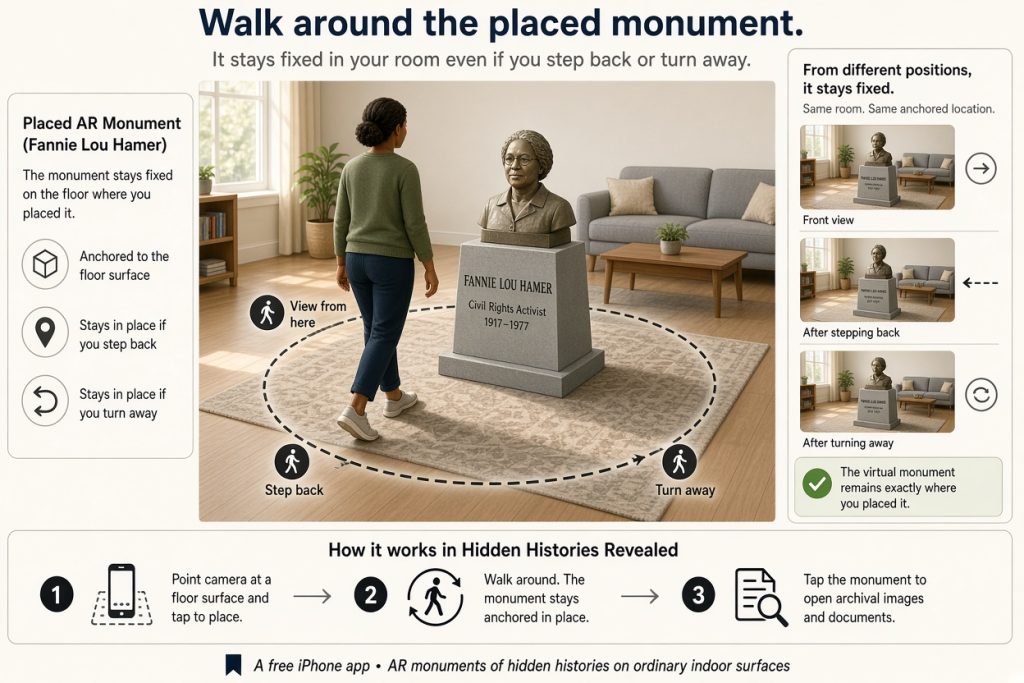
View the documents
Tap the monument to open archival images and letters. One example shows a letter by Ida B. Wells describing plans for a social-service center; you can examine the handwriting and layout directly. Hidden Histories Revealed
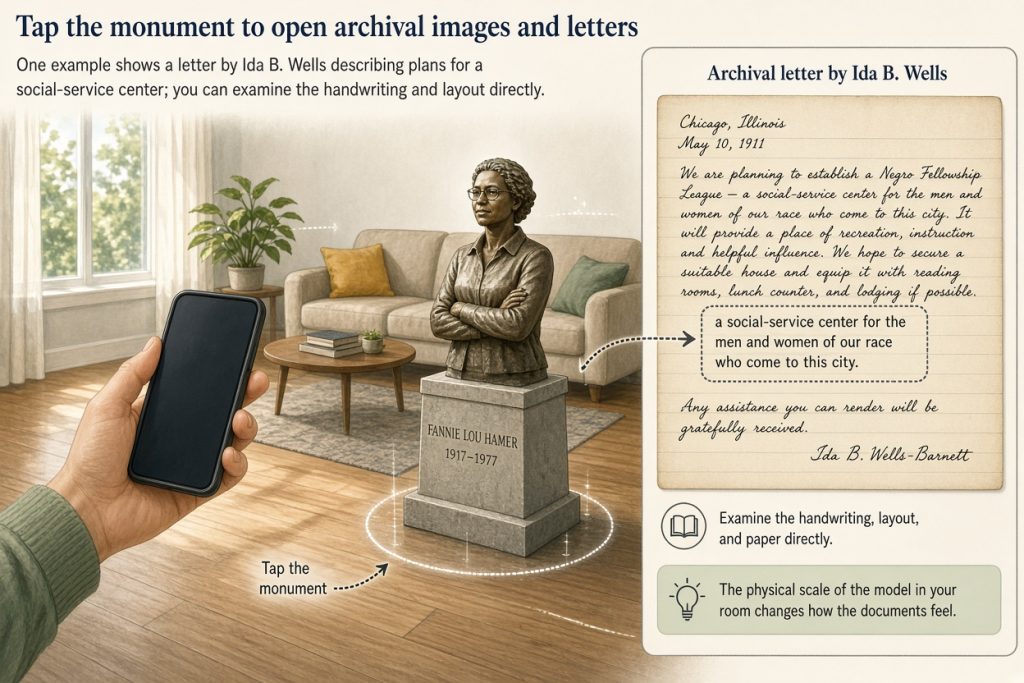
Spend a few minutes noticing details that a summary would miss. The physical scale of the model in your room changes how the documents feel.
Record the connection
After you close the documents, open the phone’s notes app or a simple voice memo. Write or speak one sentence that links the monument’s story to something in your own life or neighborhood. Keep the note short; the goal is a single observable connection rather than an essay.
If the surface detection fails, move to a clearer floor or table and try again. The app works on ordinary indoor surfaces without special lighting or markers.
A modest endpoint
When you finish, the monument remains in place until you remove it. The note you saved becomes a private reminder you can reread later. No further steps or sharing are required.
Next time you pass the same spot, ask yourself whether the connection you noted still feels accurate or whether new details from the documents now stand out.