
You know the hallway between your kitchen and living room so well that you rarely notice its slight turns or the way furniture edges create small bottlenecks. One afternoon you decide to mark that exact route with a handful of virtual guides so you can walk it deliberately and see what stands out when the path is made explicit.
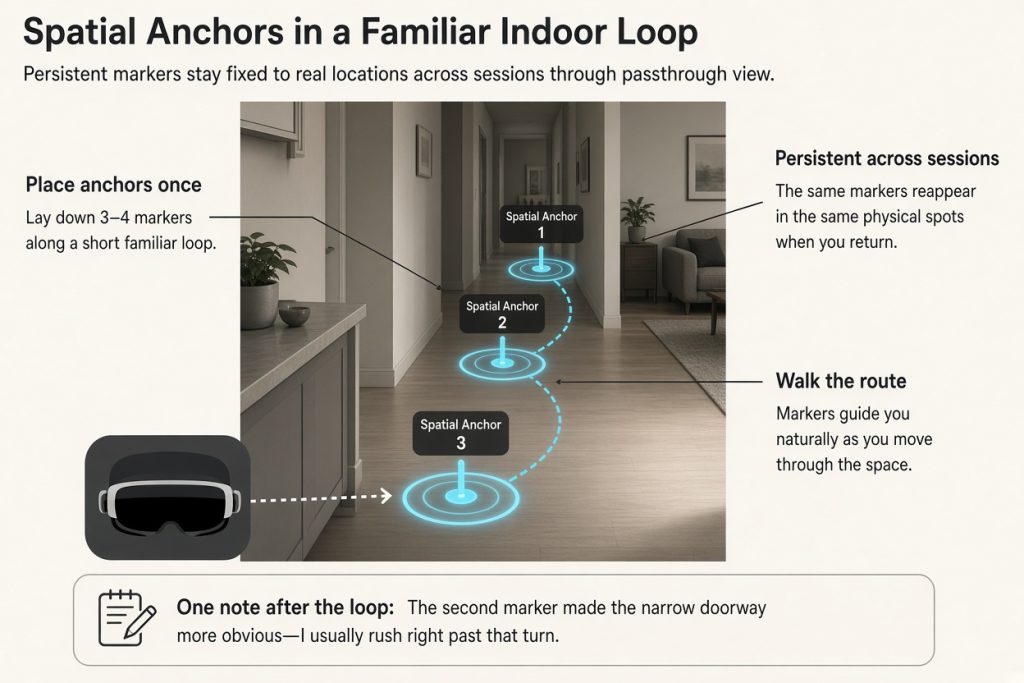
Meta Quest headsets with passthrough let you place persistent spatial anchors that keep virtual markers fixed to real locations across sessions. Spatial anchors let you persist virtual content in the physical world so the same sequence of path markers reappears exactly where you left them. The activity is simply to lay down three or four sequential anchors along a short familiar indoor loop, walk the route while the markers guide you, and finish with one written note about clarity or friction.
Get started with Meta Quest
Visit the official Meta Quest store at meta.com/experiences to explore compatible apps, check current device requirements, and review pricing. Enable passthrough in a mapped room, then open an app that supports spatial anchors to begin placing markers.
Place your first path markers
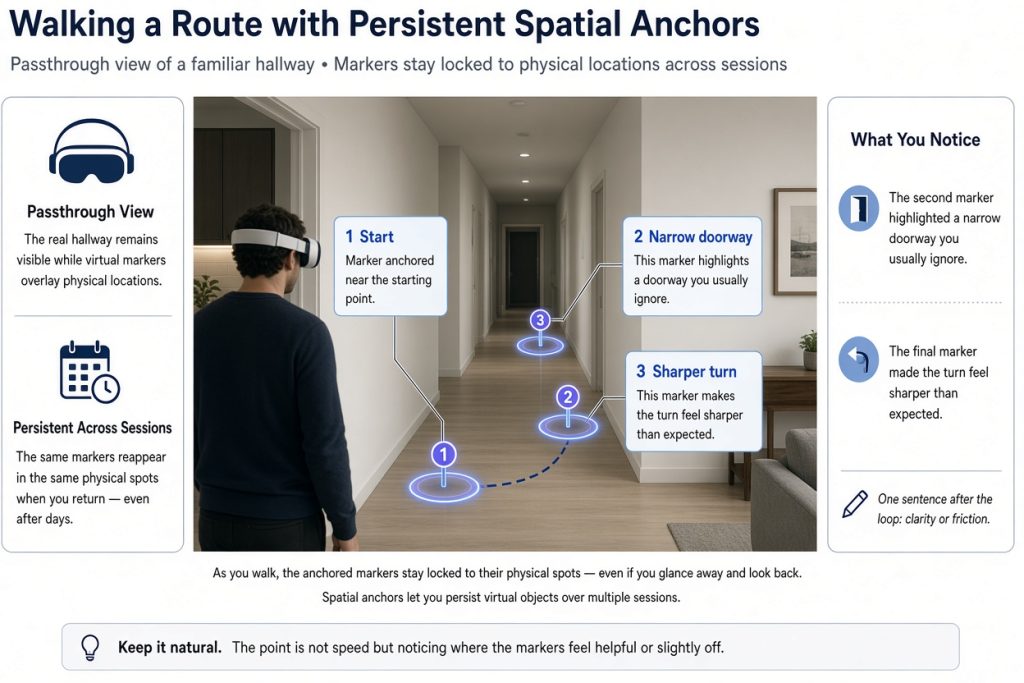
Put on the headset in a mapped room and enable passthrough so the real hallway remains visible. The Passthrough API provides a real-time visualization of the world around a user. Choose an app that supports spatial anchors, place the first marker near your starting point, then walk a few steps and place the next. Continue until you have a short closed loop of three or four markers. Remove the headset, note the time, then put it back on and walk the loop once while following the markers.
Walk the anchored route
As you walk, the anchored markers stay locked to their physical spots even if you glance away and look back. Spatial anchors let you persist virtual objects over multiple sessions. Keep your pace natural; the point is not speed but noticing where the markers feel helpful or slightly off. When you return to the start, stop and write one sentence: perhaps the second marker highlighted a narrow doorway you usually ignore, or the final marker made the turn feel sharper than expected.
Handle small shifts and continue
An anchor may appear slightly shifted after you remove and replace the headset. Re-enter the same mapped space, look at the physical spot where the marker should sit, and reposition it once. Because anchors are tied to the room model rather than GPS, they remain usable for repeated short walks without rebuilding the entire sequence.
Keep the path for another day
After one completed loop and note, you have a small reusable path you can reopen on another day. The modest outcome is simply the observation you recorded. Next time, change only the spacing of one marker or add a single new observation instead of redesigning the route.
Try marking your own short loop this week. Share the article with a friend, pick a quiet afternoon, and bring one simple idea to test along the way.